Best Wireless Gaming Mouse (2026)
The best wireless gaming mice of 2026, ranked. Lag-free 2.4GHz picks for every budget — from the 54g Viper V3 Pro to the budget-king G305 — with pros, cons and a comparison table.
The "wireless is slower" argument died years ago. Modern 2.4GHz gaming wireless — Logitech LIGHTSPEED, Razer HyperSpeed — is genuinely indistinguishable from a cable in latency, and pros have been winning majors on it for a long time now. If you've been holding off on wireless because you think it'll cost you reaction time, stop: it won't. The one thing that is slower is Bluetooth, which is why every mouse here uses a proper low-latency dongle rather than a Bluetooth-only connection.
So the real decision isn't wired-versus-wireless anymore — it's weight, battery and price. Do you want the lightest possible flagship, or a mid-range mouse that gives you 90% of the feel for half the money? Do you want a rechargeable battery you top up weekly, or an AA that lasts months? That's what separates these picks.
Here are the best wireless gaming mice you can buy, ranked, with a comparison table further down. Bluetooth-only office mice are excluded. The short version:
- Best overall: Logitech G Pro X Superlight 2
- Lightest flagship: Razer Viper V3 Pro
- Best ergonomic: Razer DeathAdder V3 Pro
- Best value: Razer Viper V3 HyperSpeed
- Best budget: Logitech G305 LIGHTSPEED
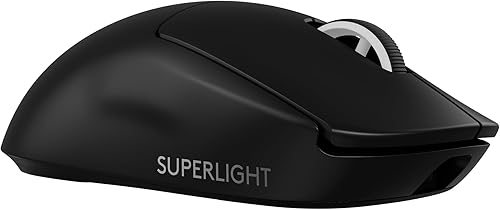
Logitech G Pro X Superlight 2
Best overallThe complete wireless package, and the mouse we'd hand almost anyone. Featherlight, a battery you charge about once a week, and connectivity you'll genuinely never think about again. The safest shape in gaming, too.
- 60g with a solid, hole-free shell
- LIGHTSPEED wireless is flawless
- ~95 hour battery
- The safest shape in gaming — suits nearly everyone
- Premium price
- No extra buttons or RGB
- No charging dock included
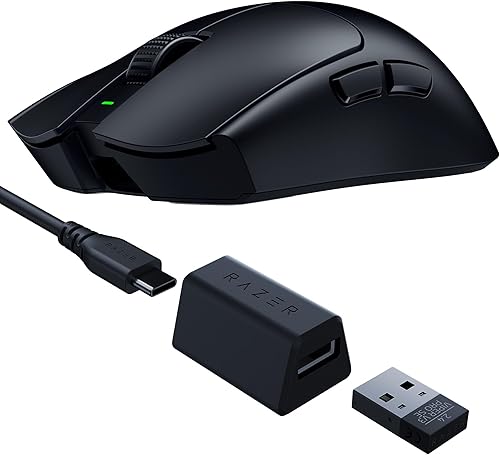
Razer Viper V3 Pro
Lightest flagshipThe competitive extreme. 54 grams of wireless with optional 8K polling — if your goal is the fastest possible aim and nothing else, this beats the Superlight on raw spec.
- ~54g — the lightest serious wireless mouse
- Optional 8,000Hz polling
- Razer's best sensor
- Flat esports shape
- Expensive (8K dongle costs extra)
- No RGB
- Flat shape doesn't suit palm grip
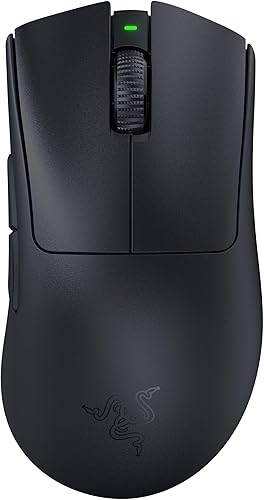
Razer DeathAdder V3 Pro
Best ergonomic wirelessProof you don't have to choose between comfort and weight. The most comfortable shape ever made, now at flyweight ~63g — the wireless flagship to buy if flat mice leave your hand aching.
- The classic comfy ergo shape at ~63g
- Elite sensor + optical switches
- Long battery life
- Superb for palm and hybrid grips
- Right-handed only
- Premium price
- Minimal extras
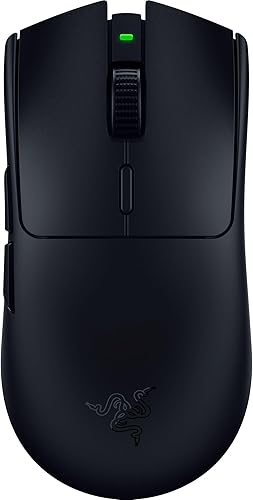
Razer Viper V3 HyperSpeed
Best value wirelessThe smartest buy on this list. You get the shape, sensor and wireless of a flagship for roughly half the money — you just carry an extra ~25g of AA battery to get there.
- Lag-free HyperSpeed wireless at half the flagship price
- ~280 hour battery on a single AA
- Excellent Focus Pro sensor
- The Viper shape people love
- ~82g due to the AA battery
- No RGB
- No dock
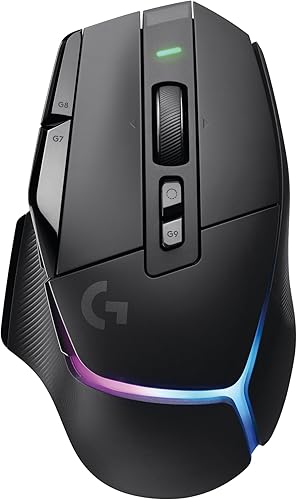
Logitech G502 X PLUS
Best for MMO & workIf you want wireless and a button for everything — MMO binds, macros, work shortcuts — this is the one. The free-spinning scroll wheel alone is worth it if you live in spreadsheets between matches.
- 13 programmable controls
- Brilliant dual-mode scroll wheel
- Per-key RGB + LIGHTSPEED wireless
- One mouse for gaming and productivity
- ~106g — heavy for competitive FPS
- Expensive
- Large
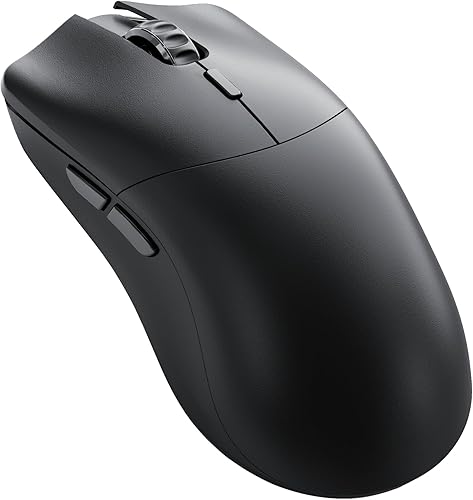
Glorious Model O 2 Pro
Best lightweight valueFlagship weight and performance for less. A ~55g solid-shell flyweight that undercuts the Superlight and Viper Pro noticeably — the answer if their prices make you wince but you still want a genuine sub-55g wireless mouse.
- ~55g with a solid shell (no holes)
- Flagship-class sensor
- Long battery
- Undercuts Razer and Logitech noticeably
- Software less polished
- Fewer premium extras
- Best for claw/fingertip
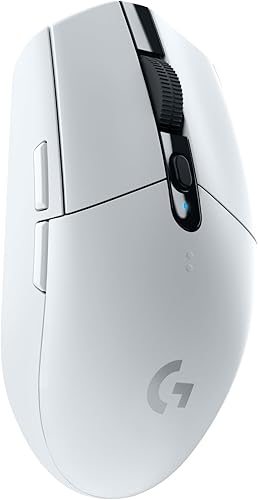
Logitech G305 LIGHTSPEED
Best budget wirelessThe mouse that proved cheap wireless could be genuinely good. Nothing else near this price gives you truly lag-free wireless. Still the default budget recommendation years later.
- True lag-free LIGHTSPEED for budget money
- Up to 250h on one AA
- Reliable HERO sensor
- Compact and light for the price
- No RGB
- Small for large hands
- Basic build
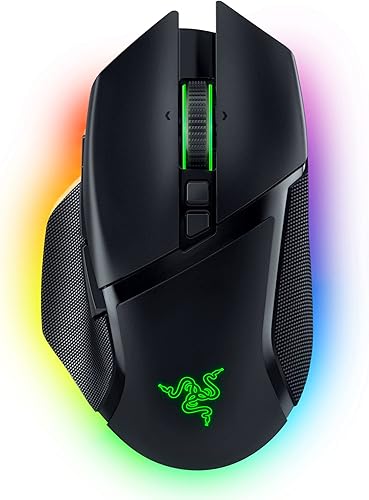
Razer Basilisk V3 Pro
Most featuresThe luxury option — every feature Razer makes, wireless, with gorgeous underglow RGB and an optional dock so it's always charged. Buy it for comfort and toys, not for grams.
- 11 buttons + tilt-click scroll
- HyperScroll free-spin wheel
- Gorgeous underglow RGB
- Optional charging dock
- Heavy (~112g)
- Pricey with the dock
- Overkill for FPS
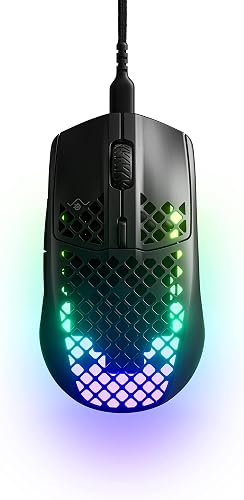
SteelSeries Aerox 3 Wireless
Most durable lightweightThe rare ultralight you don't have to baby. IP54 resistance means spills and dust don't end it — unusual for a honeycomb mouse, and genuinely useful if you're hard on your gear.
- ~68g honeycomb shell
- IP54 water and dust resistant
- Dual wireless (2.4GHz + Bluetooth)
- Bright RGB
- Holes divide opinion
- Sensor good, not elite
- Small
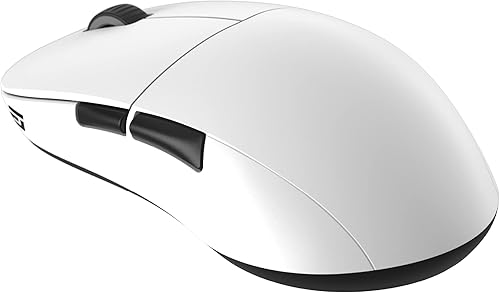
Endgame Gear XM2we
Enthusiast pickThe one enthusiasts quietly recommend to each other. No gimmicks — just a shape, weight, switches and glide that get the fundamentals exactly right for less than the big names.
- Widely praised ~63g shape
- Excellent switches and glides
- Flagship feel for mid money
- Superb build quality
- Lesser-known brand
- Subtle RGB only
- Fewer buttons
Wireless gaming mice compared
| Mouse | Weight | Battery | Shape / best grip | Best for |
|---|---|---|---|---|
| G Pro X Superlight 2 | 60g | Rechargeable ~95h | Symmetrical · all grips | Best overall |
| Razer Viper V3 Pro | ~54g | Rechargeable | Flat symmetrical · claw/fingertip | Lightest flagship |
| DeathAdder V3 Pro | ~63g | Rechargeable | Ergonomic · palm/hybrid | Ergonomic |
| Viper V3 HyperSpeed | ~82g | AA ~280h | Flat symmetrical · claw | Best value |
| G502 X PLUS | ~106g | Rechargeable | Ergonomic · palm | MMO / work |
| Model O 2 Pro | ~55g | Rechargeable | Symmetrical · claw/fingertip | Lightweight value |
| G305 LIGHTSPEED | ~99g | AA ~250h | Compact symmetrical · claw | Budget |
| Basilisk V3 Pro | ~112g | Rechargeable + dock | Ergonomic · palm | Features & RGB |
| Aerox 3 Wireless | ~68g | Rechargeable | Compact honeycomb · claw | Durable lightweight |
| Endgame Gear XM2we | ~63g | AA | Safe symmetrical · all grips | Enthusiast value |
How to choose a wireless gaming mouse
Latency is solved — stop paying to chase it
Any mouse here with a 2.4GHz dongle is as fast as wired. You do not need to hunt for the lowest-latency wireless; it's a non-issue across the board. The only connection that's meaningfully slower is Bluetooth, so if a mouse offers both, use the dongle for gaming and keep Bluetooth for a travel laptop.
Battery: rechargeable vs AA
This is a genuine fork. Rechargeable mice (Superlight, Viper V3 Pro, DeathAdder) are lighter and tidier — you plug in once a week or so and forget it. AA-powered mice (G305, Viper V3 HyperSpeed) last months on a battery and give you an instant 5-second swap instead of a charging wait, at the cost of ~20g of extra weight. If grams matter most, go rechargeable; if you hate charging cables, the AA route is liberating.
Weight is the real decision
Under ~65g is ideal for competitive FPS; 65–80g is a comfortable middle ground; 100g+ is fine for MMO, MOBA and everyday use where you're not flicking. Wireless no longer forces a weight penalty — the Superlight and Model O 2 Pro prove you can have both cable-free and sub-60g.
8K polling and other extras
8,000Hz polling is a nice-to-have, not a difference-maker for most players — don't let it drive your decision. Focus on shape and weight first, then battery, then the fun stuff (RGB, extra buttons, docks). Match the shape to your grip: flat symmetrical shells suit claw and fingertip, taller ergonomic shells suit palm. If you're unsure of your grip, watch how much of your palm touches the mouse during a normal game.
New mouse arrived? Break it in on the click speed test and dial in your settings with the sensitivity converter so it feels exactly like your old one from the first game.
FAQ
Is wireless bad for gaming? No. Modern 2.4GHz gaming wireless is effectively identical to wired in latency, and has been for years — pros use it at the highest level of competition. Only Bluetooth is meaningfully slower, so use the dongle for gaming.
Rechargeable or AA battery? Rechargeable is lighter and tidier but needs topping up weekly-ish; AA gives you hundreds of hours and a 5-second swap at the cost of some weight. If weight matters most, go rechargeable; if you'd rather never think about charging, choose AA.
What's the lightest wireless gaming mouse? Among mainstream flagships, the Razer Viper V3 Pro at roughly 54g. The Glorious Model O 2 Pro (~55g) is close behind for noticeably less money, and the Superlight 2 (60g) is the safest all-round pick.
Is 8000Hz polling worth it? For most players, no — it's a marginal refinement you won't reliably feel, and on the Viper V3 Pro the 8K dongle costs extra. Prioritise shape, weight and battery; treat 8K as a bonus, not a deciding factor.
Do wireless mice work without the dongle? The gaming-grade 2.4GHz connection needs the dongle. Some models (like the Aerox 3 Wireless) also offer Bluetooth for dongle-free use on a laptop, but Bluetooth is slower and not recommended for competitive play.
How long do wireless gaming mice last on a charge? It varies widely: rechargeable flagships like the Superlight run around 95 hours per charge, while AA-powered mice like the G305 and Viper V3 HyperSpeed last 250–280 hours per battery.
Enough reading — how fast can you actually click?
Take the click speed test