Best Mousepad for Gaming (2026)
The best gaming mousepads of 2026 — control, speed and hybrid surfaces in every size. The cheap upgrade that makes your aim more consistent, with a comparison table, pros and cons.
A mousepad is the cheapest upgrade that measurably changes your aim, and the one almost everyone skips. Here's why it matters more than people think: your sensor reads the surface, not the desk, so the pad decides how cleanly your mouse tracks. The pad also decides your glide — how much friction you fight on every movement and, crucially, how easily you can stop on a target. A worn, too-small, or wrong-surface pad quietly costs you consistency in every single game, and consistency is the entire foundation of good aim.
The best part: even the top pads are cheap. Unlike a mouse or keyboard, you can buy the genuine best-in-class option for the price of a couple of coffees. So there's no reason to game on a frayed old pad or a mousepad the size of a postcard. Below are the ones worth buying, from classic control cloth to giant desk mats, with a comparison table and a proper sizing guide further down. The quick answer:
- Best overall: SteelSeries QcK Heavy
- Best large control pad: Logitech G640
- Best value: Razer Gigantus V2
- Best desk mat: Glorious XXL Extended
- Best budget: HyperX Fury S Pro
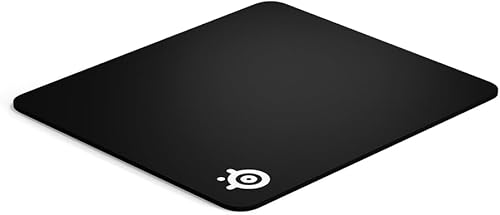
SteelSeries QcK Heavy
Best overallThe default answer for over a decade, and still right for most players. The control surface makes micro-adjustments repeatable, and the thick cushion is far kinder to your wrist on a hard desk. Buy the biggest one that fits.
- The reference control surface — predictable, consistent glide
- Thick 6mm cushion is comfortable on hard desks
- Rubber base that genuinely doesn't move
- Cheap and available in every size
- Control surface feels slow if you like speed pads
- Cloth picks up dust — needs washing
- No stitched edges on the standard version
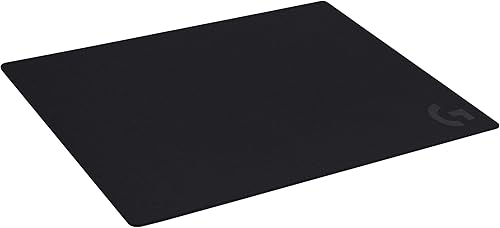
Logitech G640
Best large control padIf you play low sensitivity and make big arm swings, size is the spec that matters, and the G640 gives you room without going full desk mat. Its glide is a touch faster than the QcK, which many players prefer.
- Big 400x460mm surface for low-sens players
- Moderate-friction cloth: control without feeling sticky
- Consistent surface tuned for modern sensors
- Rolls out flat quickly
- Only one size
- No stitched edges
- Plain looks
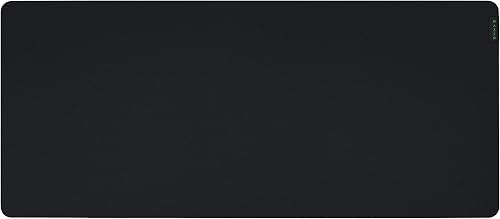
Razer Gigantus V2
Best valueThe best pad-per-pound on the list. The micro-weave sits nicely between speed and control, and the 3XL is a cheap way to cover a whole desk. Not the most durable, but at this price you can just replace it.
- Excellent price for the size
- Textured micro-weave — good speed/control balance
- Anti-slip rubber base
- Comes in sizes up to 3XL
- Thinner than the QcK Heavy
- Edges can fray over time
- Surface wears faster than premium pads
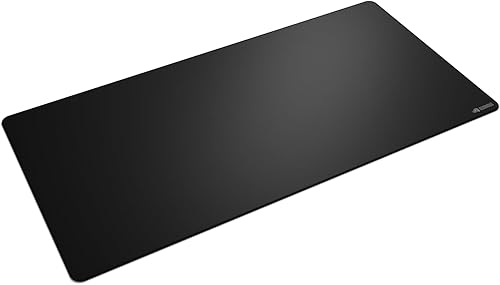
Glorious XXL Extended
Best desk matIf you want one surface for everything, this is it. Stitched edges mean it lasts, and putting your keyboard on the same mat kills the little lip that catches your mouse at the edge of a small pad.
- Covers keyboard and mouse — huge unbroken surface
- Stitched anti-fray edges
- Choice of speed or control surface
- Makes any desk look tidy
- Takes over your whole desk
- Needs a big wash occasionally
- Thicker versions cost more

Corsair MM300 PRO
Most durableBuy this if your pads keep dying. The stitched border stops the fraying that kills cheap mats, and the dense weave shrugs off drinks. Boring in the best possible way.
- Stitched edges — the thing that usually fails first
- Dense, spill-resistant textured weave
- Grippy rubber base
- Multiple sizes including extended
- Slightly rougher on the fingertips
- Middling glide — neither fast nor ultra-control
- Plain design
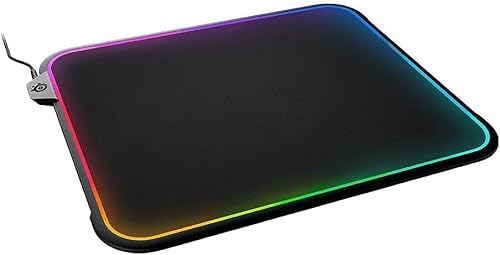
SteelSeries QcK Prism Cloth
Best RGBThe same trusted QcK surface with a glowing border. You're paying purely for looks — but if your desk is an RGB setup, this is the one that doesn't compromise the actual mousing surface to get there.
- Proper QcK control surface underneath the lights
- Two-zone RGB that syncs with your setup
- Solid build with a firm base
- Available in medium and 3XL
- Costs a lot more than the plain QcK
- Needs a USB port
- The RGB adds nothing to performance
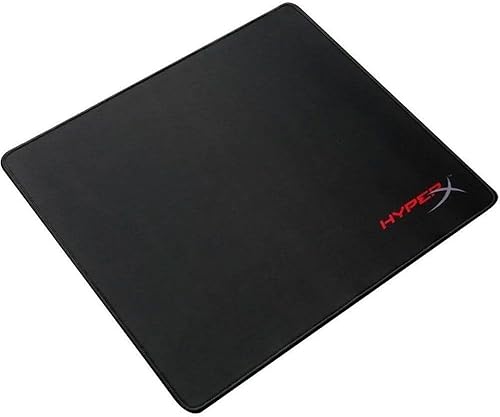
HyperX Fury S Pro
Best budgetStitched edges on a budget pad is a rare combination. If you want something that works and lasts without thinking about it, this is the cheap pick.
- Very cheap
- Stitched edges at a budget price
- Densely woven, consistent surface
- Sizes from S to XL
- Thin — not much cushioning
- Slower surface
- Base grip weakens over time
Razer Strider
Best hybridFor players who want the fast, glassy glide of a hard pad but hate how they wreck your aim's stopping power. The Strider splits the difference better than most — and unlike real hard pads, you can roll it up.
- Hard-pad speed with cloth-like control
- Water resistant and easy to wipe clean
- Rolls up without creasing (unusual for a hybrid)
- Very consistent, low-friction glide
- Expensive
- Wears mouse feet faster than cloth
- The firm feel divides people
Gaming mousepads compared
| Pad | Surface | Sizes | Edges | Best for |
|---|---|---|---|---|
| QcK Heavy | Control cloth (6mm) | S–3XL | Unstitched | Best overall |
| Logitech G640 | Control cloth | One (large) | Unstitched | Low-sens control |
| Razer Gigantus V2 | Balanced micro-weave | up to 3XL | Unstitched | Value |
| Glorious XXL Extended | Speed or control | Desk mat | Stitched | Desk mat |
| Corsair MM300 PRO | Balanced cloth | Multiple + extended | Stitched | Durability |
| QcK Prism Cloth | Control cloth + RGB | Medium, 3XL | — | RGB setups |
| HyperX Fury S Pro | Control cloth | S–XL | Stitched | Budget |
| Razer Strider | Hybrid (hard/cloth) | Multiple | Stitched | Speed / high-sens |
How to choose a mousepad
Control vs speed vs hybrid
This is the first decision. Control surfaces (QcK, G640) have more friction, so they're easier to stop on precisely — better for low sensitivity and flick-heavy aim, and what most FPS players want. Speed / hybrid surfaces (Strider) glide faster with less friction — better for high sensitivity and games with lots of long, sweeping movement. If you constantly overshoot targets, go control; if you feel like you're fighting the pad on big swings, go faster.
Size beats almost everything else
If you play low sensitivity, you need room — running out of pad mid-flick is one of the most common and most fixable aim problems there is. Work out your cm/360 with the sensitivity converter: if it's 40cm or more, get an XL or extended pad. A pad you keep hitting the edge of is actively costing you aim on every big turn. When in doubt, size up.
Thickness is comfort
2–3mm is fine on a soft desk; 4–6mm (like the QcK Heavy) is far more comfortable on hard wood or metal, cushioning your wrist over long sessions. It doesn't change your aim, but it changes how your arm feels after two hours.
Stitched edges = lifespan
The edge is what frays and fails first on a cheap pad. Stitched edges (Corsair MM300 PRO, Glorious, Fury S Pro) are the difference between a pad lasting one year and three. It's a small premium that pays for itself.
Replace worn pads
A shiny, compressed patch where your mouse lives has different friction from the rest of the pad — which means inconsistent glide, which means inconsistent aim. Pads are cheap; when yours develops a worn spot, just swap it. Your aim will thank you.
Got a new pad? Feel the difference on the aim trainer and see whether your click speed benefits from a more stable, consistent surface.
FAQ
Does a mousepad actually improve aim? Yes — consistently. It gives your sensor a uniform surface to read and your mouse a predictable glide, so the same hand motion produces the same on-screen result every time. That repeatability is exactly what good aim is built on, which is why a bad pad quietly hurts you.
What size mousepad should I get? Base it on your cm/360. Under ~25cm, a medium is fine; 30–45cm wants a large or XL; above that, go extended or a full desk mat. Running out of pad mid-flick is the most common — and most fixable — aim problem, so if you're between sizes, go bigger.
Control or speed surface? Control for most people, especially FPS players at low sensitivity — the extra friction helps you stop on target. Speed and hybrid surfaces suit high-sens players and games with lots of big, sweeping movement.
How do I clean a cloth mousepad? Most cloth pads can be hand-washed in lukewarm water with a little mild soap, gently scrubbed, rinsed and air-dried flat. Do it every few months — a clean surface tracks and glides more consistently than a dirty, oily one.
Are hard mousepads better than cloth? Not better, just different. Hard and hybrid pads (like the Strider) glide faster and last longer but reduce your stopping power and wear mouse feet quicker. Most competitive FPS players still prefer cloth control pads for the precision. It comes down to your sensitivity and how you like to aim.
Is an expensive mousepad worth it? Mousepads are cheap even at the top end, so yes — there's little reason not to buy a genuinely good one. The main things worth paying a small premium for are stitched edges (longevity) and enough size for your sensitivity; RGB and branding add nothing to performance.
Enough reading — how fast can you actually click?
Take the click speed test