Best Mouse for Minecraft PvP (2026)
The best gaming mouse for Minecraft PvP in 2026 — light, fast switches built for jitter, butterfly and drag clicking. Ranked picks with a comparison table, pros and cons.
Minecraft PvP asks something unusual of a mouse. You're not just aiming — you're clicking 8–14 times a second for a whole fight, often with jitter or butterfly technique, while still tracking a moving target and strafing. That combination punishes gear that normal games never stress: heavy mice make your arm tire and shake, mushy switches can't keep up with rapid clicks, and cheap switches start double-clicking ("chatter") after a few weeks of abuse. A mouse that's perfect for a slow, precise shooter can be actively bad for a Minecraft PvP grinder.
So the picks below are ranked on what actually matters inside a PvP box: switch feel and durability, weight, and a shape you can hold tense for ten minutes without cramping. Sensor quality is a non-issue — every mouse here tracks perfectly for Minecraft — so it doesn't factor in at all. The short answer:
- Best overall for PvP: Logitech G305 LIGHTSPEED
- Best for jitter & butterfly: Razer Viper Mini
- Best lightweight wired: Glorious Model O
- Best step-up wireless: Razer Viper V3 HyperSpeed
- Cheapest that works: Redragon M711 Cobra
Test any of them on the Kohi click test to see how your CPS holds up.
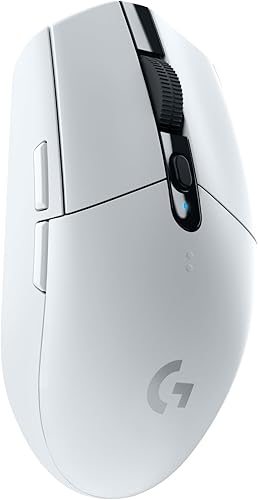
Logitech G305 LIGHTSPEED
The PvP community's default. It's light, the switches are snappy enough for high CPS, the wireless is genuinely lag-free, and it's cheap enough that grinding it to death on a Kohi server doesn't hurt.
- Light 99g with a shape built for tense clicking
- Lag-free wireless — no cable drag mid-fight
- Crisp switches that hold up to jitter clicking
- Cheap enough to replace if you kill the switches
- No RGB
- Small for very large hands
- AA battery adds a little weight
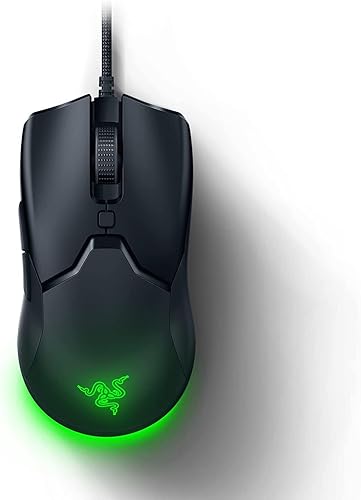
Razer Viper Mini
Best for jitter & butterflyIf you jitter or butterfly click, weight and switch speed are everything — and the Viper Mini nails both. The optical switches register absurdly fast, and at 61g you can shake it without fighting the mouse. The technique pick.
- Just 61g — easy to vibrate for jitter clicking
- Optical switches with almost no debounce delay
- Flat ambidextrous shell suits two-finger butterfly
- Very affordable
- Too small for big palm grips
- Wired
- Light click weight takes adjusting to
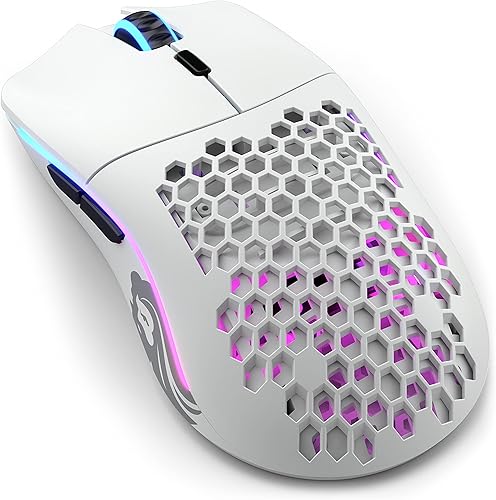
Glorious Model O
Best lightweight wiredA long-time PvP favourite. The featherweight shell and near-frictionless cable make it easy to keep aiming while your hand is tensed for clicks — the exact thing that falls apart on a heavy mouse.
- 67g honeycomb shell
- Ultra-flexible cable feels nearly wireless
- Excellent glide for tracking while clicking
- Ambidextrous shape
- Honeycomb holes aren't for everyone
- Shell flexes if you grip hard
- Wired
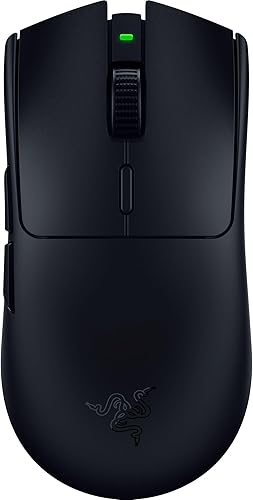
Razer Viper V3 HyperSpeed
Best mid-range wirelessThe step up from the G305 without going flagship. Same lag-free wireless, a better shape and switches, and a battery that lasts a season. The sweet spot if you play a lot but won't spend flagship money.
- Genuinely lag-free HyperSpeed wireless
- Huge ~280h battery on one AA
- Beloved Viper shape and switches
- Far cheaper than the V3 Pro
- ~82g — heavier than the flyweights
- No RGB
- No charging dock
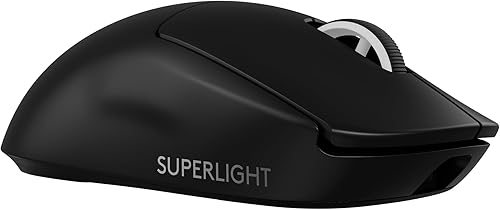
Logitech G Pro X Superlight 2
Best premiumIf money's no object, this is the endgame: 60 grams, a shell that doesn't creak when you death-grip it during a clutch, and wireless you'll never think about. Expensive for Minecraft, but nothing feels better.
- 60g, solid shell — no flex when you tense up
- Fast hybrid switches, flawless wireless
- ~95h battery
- The most-used shape in competitive gaming
- Expensive
- No extra buttons
- Overkill for casual PvP
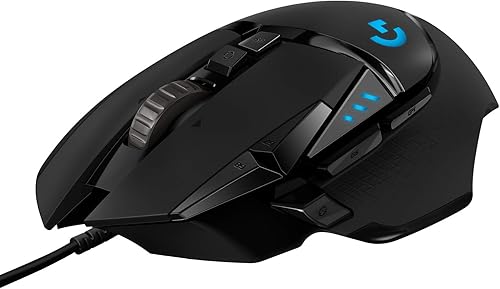
Logitech G502 HERO
Best for extra bindsThe pick if you want buttons for every bind and prefer a big, planted mouse. Be honest with yourself though: at 121g it fights you on jitter clicking. Great for comfort and control, not for chasing peak CPS.
- 11 buttons for hotbar and macros
- Tunable weights
- Very comfortable for palm grip
- Great sensor
- Heavy (121g+) — hard work for jitter clicking
- Wired at this price
- Too much mouse for pure clicking
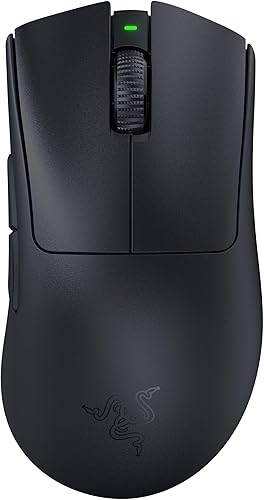
Razer DeathAdder V3 Pro
Best ergonomicIf tensing up on a flat mouse wrecks your wrist, the DeathAdder shape is the comfortable answer — and this one is somehow only ~63g. The ergonomic option that doesn't cost you speed.
- Classic comfy ergo shape at just ~63g
- Elite optical switches and sensor
- Long battery
- Great for long sessions without cramping
- Right-handed only
- Premium price
- No extra buttons
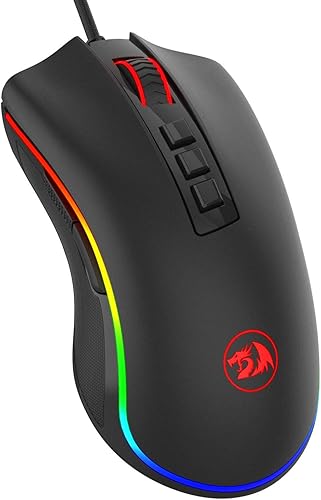
Redragon M711 Cobra
Cheapest that worksWhen the budget is genuinely tiny. It clicks, it tracks, it lights up — and if you burn out the switches from drag clicking, replacing it costs less than a pizza. A smart, low-stakes choice for a technique that's hard on hardware.
- Costs almost nothing
- Bright RGB
- 7 programmable buttons
- Perfectly good sensor for Minecraft
- Heavier build
- Switches wear faster under jitter clicking
- Basic software
Minecraft PvP mice compared
| Mouse | Weight | Switches | Connection | Best for |
|---|---|---|---|---|
| G305 LIGHTSPEED | ~99g | Mechanical, crisp | Wireless | Best overall |
| Razer Viper Mini | 61g | Optical, very fast | Wired | Jitter / butterfly |
| Glorious Model O | ~67g | Mechanical | Wired | Lightweight wired |
| Viper V3 HyperSpeed | ~82g | Optical | Wireless | Step-up wireless |
| G Pro X Superlight 2 | 60g | Hybrid optical | Wireless | Premium |
| G502 HERO | 121g+ | Mechanical | Wired | Extra binds |
| DeathAdder V3 Pro | ~63g | Optical | Wireless | Ergonomic comfort |
| Redragon M711 Cobra | ~100g | Mechanical | Wired | Cheapest |
What actually matters for Minecraft PvP
Switch durability comes first
Jitter and butterfly clicking fire far more clicks than normal gaming — you can easily double or triple your click count per session. Cheap switches respond by developing double-click "chatter," where one press registers as two, which is a disaster in a fight. Optical switches (Razer Viper Mini, DeathAdder) resist this best. Whatever you use, check it periodically with the mouse tester to catch chatter early.
Weight, if you jitter
Tensing your arm to vibrate a 120g mouse is miserable and tires you out fast. Under ~80g makes jitter clicking dramatically easier to sustain, which is why the light picks dominate the top of this list. If you butterfly click instead, weight matters a little less, but a lighter mouse still helps you keep aiming while your fingers are busy.
Shape for your grip and technique
Flat, ambidextrous shells (Viper Mini, Model O) suit claw grips and two-finger butterfly clicking. Humped ergonomic shapes (DeathAdder, G502) suit palm grippers who want comfort over peak speed. Pick the shape that lets your hand stay relaxed between click bursts.
Drag clicking? Read this first
Drag clicking needs a grippy button surface and a specific technique — see the drag click test to practise it. Just know it chews through switches faster than anything else, which is a strong argument for the cheaper picks here: if you drag click regularly, plan on replacing the mouse eventually.
FAQ
What CPS do I need for Minecraft PvP? Most servers cap clicks around 10–12 CPS to rule out autoclickers, so a clean, consistent 8–10 CPS is competitive. See where you land on the Kohi click test — consistency matters more than a one-off peak.
Does a better mouse actually raise my CPS? Somewhat — lighter weight and faster switches make jitter and butterfly clicking easier to sustain, so you hit your technique's ceiling more reliably. But technique matters far more than the mouse; good gear just stops holding you back rather than doing the work for you.
Is drag clicking going to break my mouse? It shortens switch life noticeably because of the rapid, repeated actuations. If you drag click regularly, budget for replacing the mouse over time — which is exactly why the cheaper picks on this list make so much sense for drag clickers.
What's the best budget mouse for Minecraft PvP? The Logitech G305 if you want wireless, or the Razer Viper Mini if you want the lightest, fastest-clicking option for jitter and butterfly. Both are cheap enough that wearing them out isn't a big loss.
Are optical switches better for clicking fast? They help — optical switches have almost no debounce delay and resist the double-click chatter that develops on cheap mechanical switches under heavy clicking. That makes them a good match for the high click volume of Minecraft PvP.
Enough reading — how fast can you actually click?
Take the click speed test