Best Gaming Mouse for Small Hands (2026)
The best gaming mice for small hands in 2026. Compact, light picks that suit claw and fingertip grips — with real measuring guidance, a comparison table, and pros and cons.
Most gaming mice are designed for average-to-large hands, which leaves a lot of people quietly struggling — over-reaching for buttons, losing control on flicks, and ending sessions with a sore wrist. If your hand measures under about 17cm from the wrist crease to the tip of your middle finger, the "safe" big-brand shapes that reviewers love are working against you. A mouse that's too long forces your fingers to stretch and your palm to hover, and you can't grip what you can't comfortably reach.
The fix isn't just "buy a small mouse" — it's matching length and hump height to your grip. A tall, long ergonomic mouse and a short, flat one can weigh the same and feel completely different in a small hand. Below are the mice that genuinely work for smaller hands, ranked, plus a simple way to measure yourself and figure out which one actually fits. The quick answer:
- Best overall for small hands: Razer Viper Mini
- Best small wireless: Logitech G305 LIGHTSPEED
- Best compact ultralight: SteelSeries Aerox 3 Wireless
- Best cheap pick: Logitech G203 LIGHTSYNC
- Best premium: Razer Viper V3 Pro
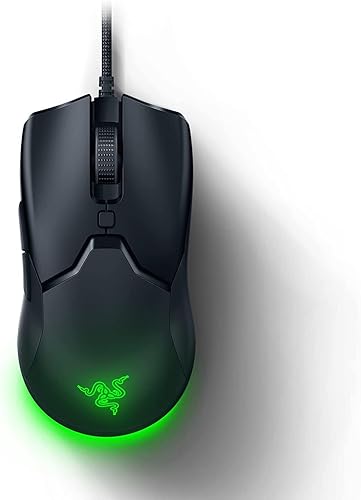
Razer Viper Mini
Best for small handsNot a shrunken big mouse — designed small from the start. The short length and low profile mean you can actually reach the buttons with your fingertips resting naturally. If you have small hands and want one pick, this is it.
- Genuinely small — built for it, not just 'compact'
- Only 61g, easy to control with less hand
- Low flat profile suits claw and fingertip
- Very affordable
- Too small if your hands are average+
- Wired
- No frills
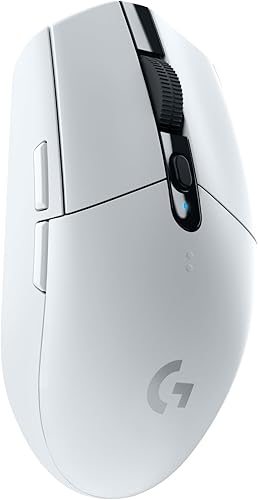
Logitech G305 LIGHTSPEED
Best small wirelessOften recommended for small hands almost by accident — it's simply a compact, short mouse. Add lag-free wireless at a low price and it's the obvious small-hands wireless pick.
- Compact body that suits smaller hands
- Lag-free wireless for budget money
- Light 99g
- Up to 250h battery
- AA battery adds a small hump
- No RGB
- Not the lightest
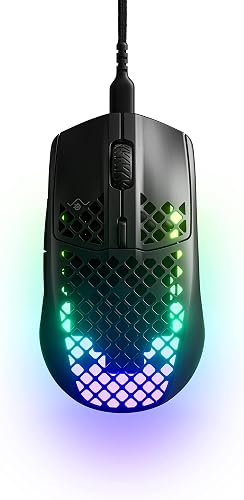
SteelSeries Aerox 3 Wireless
Best compact ultralightSmall, light and — unusually for honeycomb — durable. The compact shell suits a claw grip on smaller hands, and the IP54 sealing means the holes don't become a liability with dust or spills.
- Small and only ~68g
- Dual wireless (2.4GHz + Bluetooth)
- IP54 water/dust resistant
- Bright RGB
- Honeycomb holes
- Sensor good, not elite
- Narrow shell
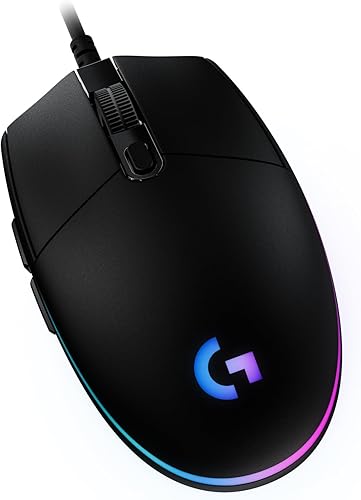
Logitech G203 LIGHTSYNC
Best cheap compactThe budget small-hands staple. A plain, short compact mouse that fits smaller hands naturally, looks good, and costs very little. A great first gaming mouse for a smaller hand or a younger player.
- Small, simple, classic shape
- Bright RGB for the price
- Accurate sensor
- One of the cheapest here
- 85g and no weight tuning
- Rubber cable
- Only 6 buttons
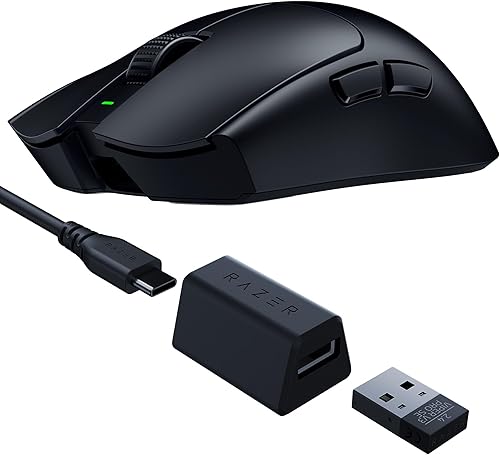
Razer Viper V3 Pro
Best premium (medium-small)Not a "small" mouse on paper, but its very low profile and ~54g weight make it manageable for smaller hands with a claw or fingertip grip. The premium option if the Viper Mini feels too basic — just measure first, as it's medium length.
- ~54g means less mouse to control
- Low, flat profile — no big hump to span
- Elite sensor and wireless
- Great for claw/fingertip
- Expensive
- Medium length — borderline for very small hands
- No RGB
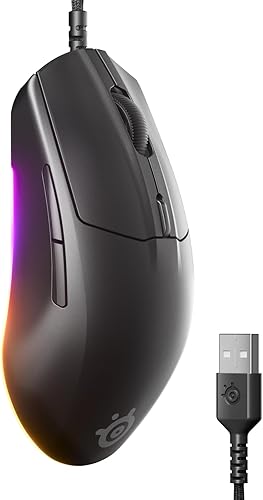
SteelSeries Rival 3
Best budget all-rounderA quietly great small-ish all-rounder. Light, comfortable and built to last, with a neutral shape that works across grip styles, at a price that makes it easy to try.
- Compact 77g body
- Durable 60M-click switches
- Clean RGB
- Neutral shape suits most grips
- Wired
- Sensor good but not flagship
- Coating wears over time
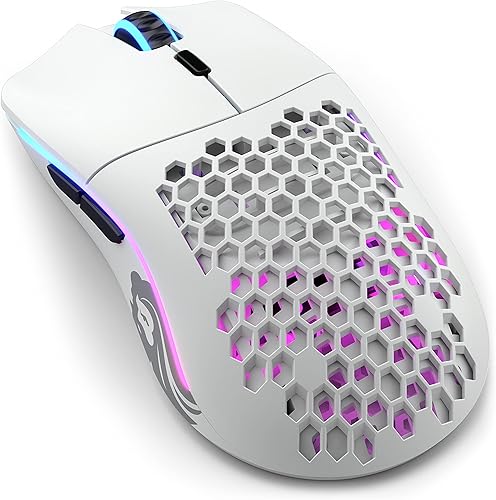
Glorious Model O
Best lightweight (borderline)Worth a look if you claw grip: at 67g the low weight partly compensates for a slightly longer body. Measure your hand first, though — this is the borderline pick on the list.
- 67g — very little to move
- Superb flexible cable
- Great glides
- Ambidextrous
- Medium length — check your measurement
- Honeycomb holes
- Shell flex under hard grip
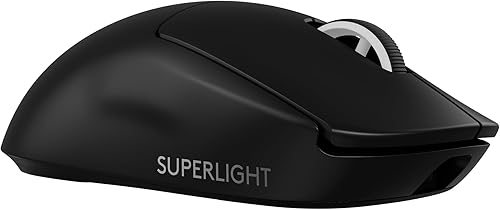
Logitech G Pro X Superlight 2
Best premium all-roundIncluded with a caveat: it's a medium-large shape, but it's so light and neutral that plenty of smaller-handed players use it happily with a claw grip. Only if you've tried a medium mouse before and got on fine.
- 60g, extremely easy to move
- Shape that suits an unusually wide range of hands
- Flawless wireless, ~95h battery
- Solid shell
- Medium-large length
- Expensive
- Not a dedicated small-hands mouse
Small-hands gaming mice compared
| Mouse | Weight | Size | Connection | Best grip |
|---|---|---|---|---|
| Razer Viper Mini | 61g | Small | Wired | Claw / fingertip |
| G305 LIGHTSPEED | ~99g | Compact | Wireless | Claw / palm |
| Aerox 3 Wireless | ~68g | Compact | Wireless | Claw |
| G203 LIGHTSYNC | 85g | Compact | Wired | All grips |
| Razer Viper V3 Pro | ~54g | Medium (low) | Wireless | Claw / fingertip |
| SteelSeries Rival 3 | 77g | Compact | Wired | All grips |
| Glorious Model O | ~67g | Medium | Wired | Claw |
| G Pro X Superlight 2 | 60g | Medium-large | Wireless | Claw / palm |
How to know if a mouse fits your hand
Measure first — it takes ten seconds. Hand length is the distance from your wrist crease to the tip of your middle finger. Width is across the knuckles. Those two numbers tell you more than any review.
- Under 17cm: small. Look for mice under ~120mm long — Viper Mini, G305, G203.
- 17–19cm: medium. Most mice work; every pick above will fit.
- Over 19cm: large — honestly, this isn't your list; look at full-size ergo shapes instead.
Grip matters as much as size
- Fingertip (only fingertips touch, palm off the mouse): go small and light — the Viper Mini is ideal.
- Claw (arched fingers, only the palm heel touching): small-to-medium with a low hump — Viper Mini, Aerox 3, Model O.
- Palm (whole hand rests on the mouse): here a mouse that's too small is as bad as one that's too big, because your palm ends up hovering awkwardly. You want the mouse to fill your hand — the G305 or Rival 3.
Height beats length for palm grip
A tall hump you can't comfortably get your hand over is more uncomfortable than a body that's slightly long. If you palm grip, pay as much attention to hump height as to length — a low, long mouse can fit a small palm-gripper better than a short, tall one.
Small hands often prefer slightly higher sensitivity
With less hand on the mouse you have less range of motion, so many small-handed players run a touch higher sensitivity to turn without running out of arm. Set yours deliberately with the sensitivity converter, and check your click speed on the click test once your new mouse arrives.
FAQ
What size hand counts as small for a gaming mouse? Roughly under 17cm from the wrist crease to the tip of your middle finger. Below that, most "safe" medium mice will feel long and make you over-reach for the buttons, which costs you control.
Should small hands use a light mouse? Usually yes — with less hand on the mouse you have less leverage, so a lighter body is easier to control precisely and fatigues you less. Every top pick here is under 100g for that reason.
Is a smaller mouse always better for small hands? No. Fingertip and claw grips want small; palm grip wants the mouse to fill the hand. A too-small mouse forces a palm gripper into an awkward hover, which is just as uncomfortable as a mouse that's too big. Match size to your grip, not just to your hand.
What's the best small wireless gaming mouse? The Logitech G305 LIGHTSPEED — it's compact, genuinely lag-free, cheap, and lasts up to 250 hours on a single AA. For a premium option, the low-profile Razer Viper V3 Pro works for borderline-small hands.
Are gaming mice made specifically for small hands? A few are designed small from the start rather than shrunk down — the Razer Viper Mini is the standout example. Most "small-hands" recommendations are simply compact mice that happen to fit, so measuring and checking length in millimetres matters.
Enough reading — how fast can you actually click?
Take the click speed test